Hardware design that shows its work.
Schematic, PCB layout, high-speed and power checks, SPICE and fab output in one native desktop app. Its AI Copilot — or your own agent, over MCP — works on the same engines, shows the evidence behind every result, and asks before it changes what you decided.
Windows · macOS · Linux — design tools free with no time limit · AI Copilot: Max & Pro

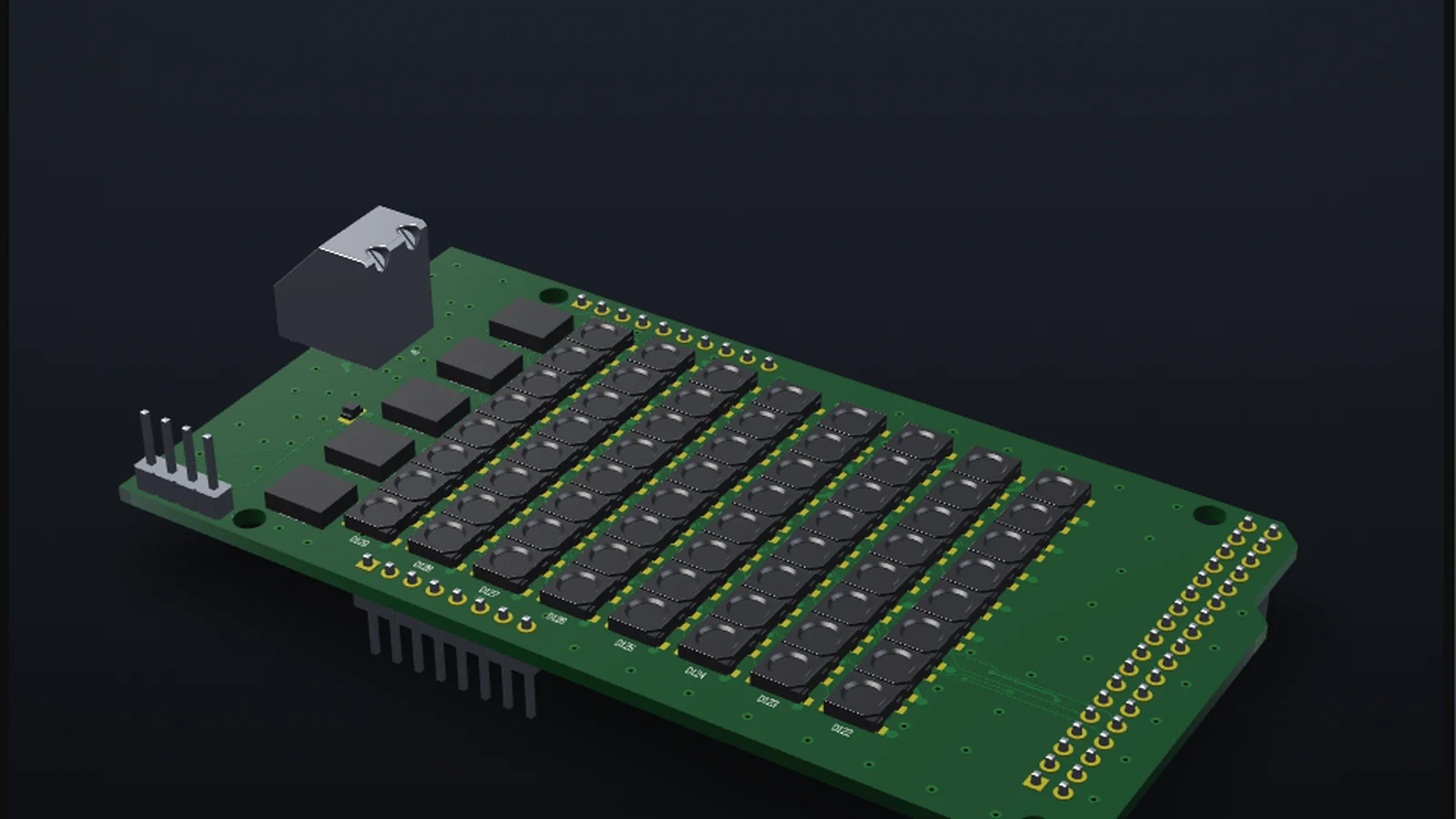
Kasli 2.0 by Sinara (CERN-OHL-1.2), 8 layers · 791 parts — imported from Altium and drawn by WireFrame's 3D viewer. Source
Narrated, with subtitles. Recorded from the app on real open-hardware boards — nothing in it is drawn by hand.
An agent does the legwork. You make the calls.
The Copilot is an agent with tools, not a chat box: it plans, picks parts, checks them and draws ordinary WireFrame documents. Every step it takes is checked before it reaches you, and every decision stays yours.
Describe the board
What it must do, the parts you insist on, the datasheets you trust and the case it has to fit.
Review & confirm
Nothing it repaired is used until you confirm it, and what you decide is kept for the project.
Apply, edit & verify
Apply the layout or discard it, change anything by hand, run DRC and DFM. Your edits are kept, never undone.
Order the board
Gerber, drill, BOM and STEP, read back by the same parser that audits them before you upload.
Plan from real parts
It asks before it assumes, sets every rail with where the number came from, and picks parts your libraries can place.
Check every part
Pins against pads, the land against the package drawing, in a datasheet WireFrame downloaded itself.
Draw & lay out the PCB
Editable sheets, a board sized from its parts or cut from your case, then placed, planes poured, vias dropped and routed on a copy while you watch.
No black box.
A model is good at suggesting and bad at being sure. So WireFrame lets the model propose and makes the app prove: the Copilot may name a datasheet link, WireFrame downloads and reads the PDF itself — and a made-up link fails to download, so it produces no claim at all.

- Checked on every operation. Each edit the agent makes is tested as it is made, applied all or nothing, and the whole board is checked before it is shown to you.
- Evidence, not confidence. A rejected part names the rule that decided it; a datasheet claim cites the page it came from.
- Your edits win. Every change is recorded as yours or the AI's. Change what it made, and the next pass keeps your decision and asks before touching it.
Shows its evidence. Waits for your yes.
Recorded from the app: what the Copilot does, on screen, with nothing staged.
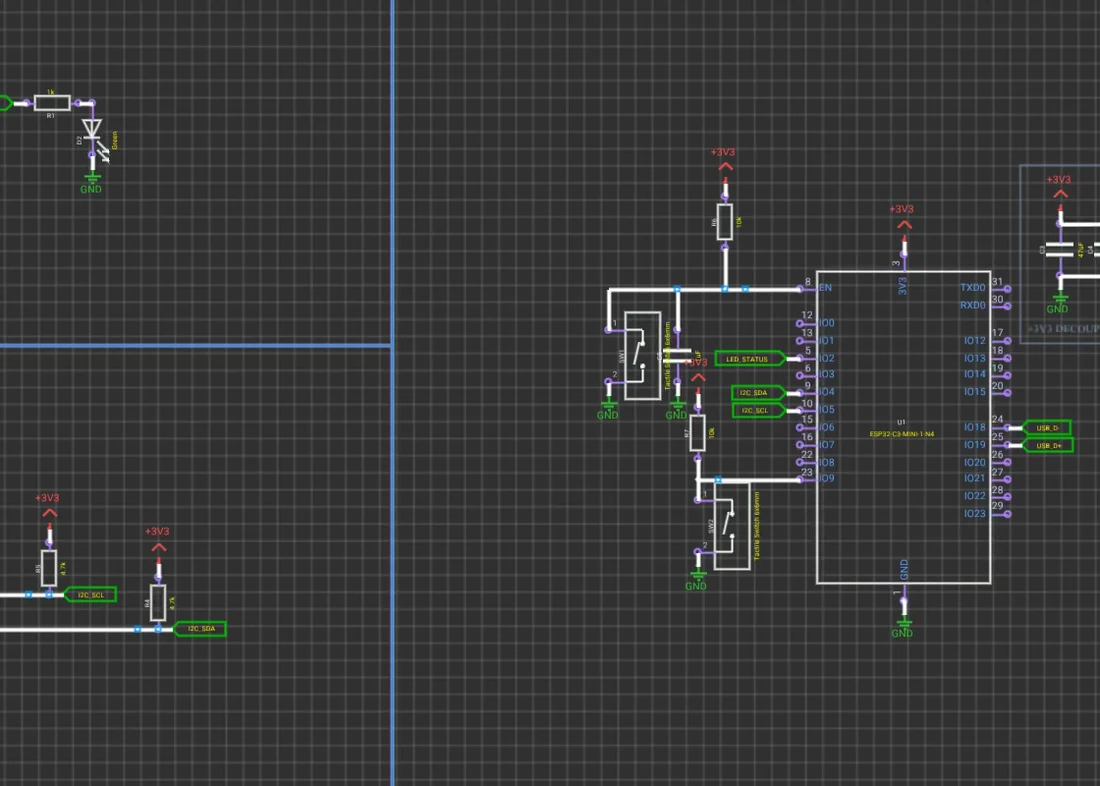
Requirement → schematic
Write what the board must do. The Copilot asks what matters, writes a BOM from real part numbers and draws editable sheets.
Read more →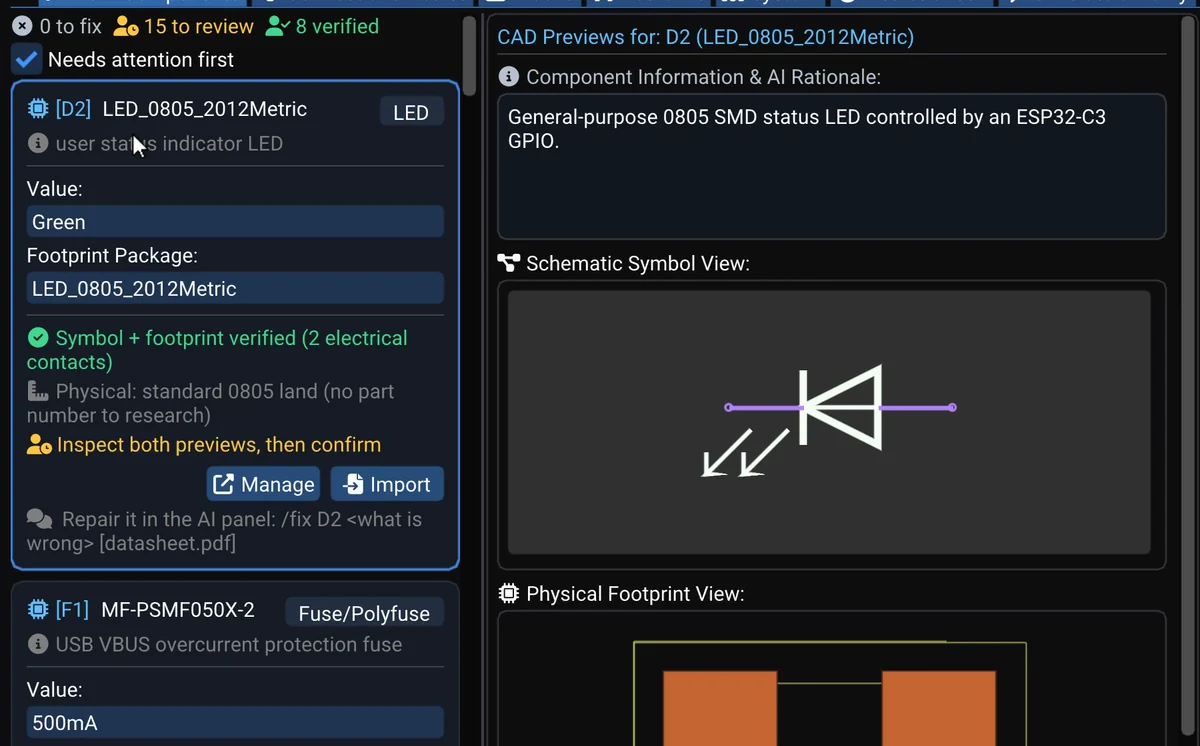
Every part checked
Symbol pins against footprint pads, the land pattern against the datasheet drawing. A rejection names its rule.
Read more →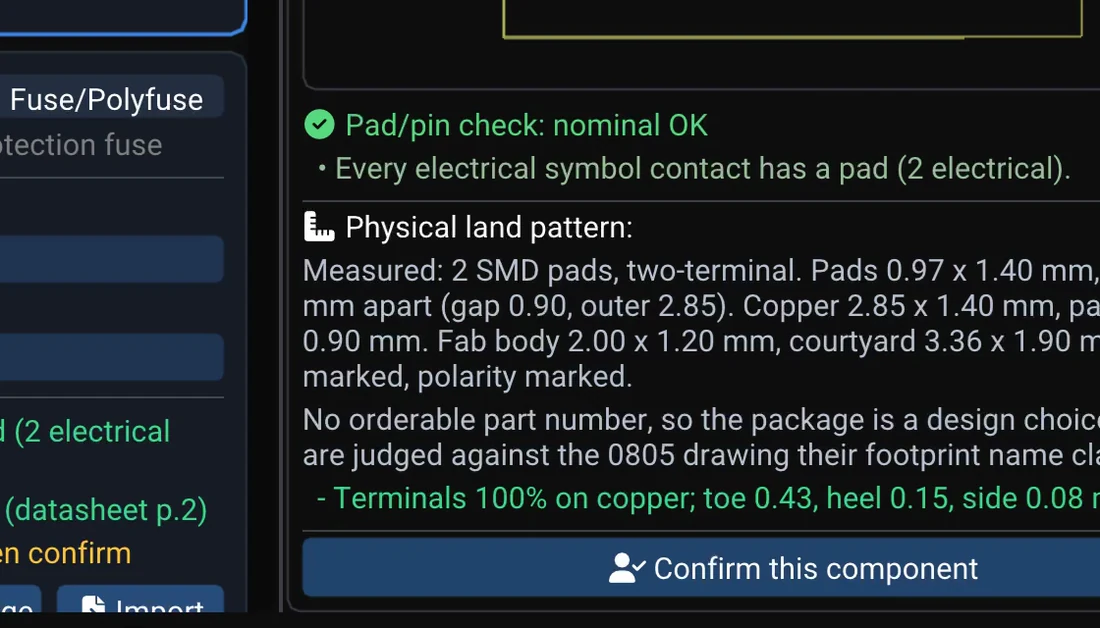
Repairs you approve
A wrong package or a missing part: the Copilot drafts the fix from the datasheet or LCSC. Nothing is used until you confirm.
Read more →The agent you already use, on WireFrame's engines.
Claude, Codex, Cursor — the agent you already work in. Over the Model Context Protocol it gets 33 tools, and through one of them the 117 that WireFrame's own Copilot works with: the placer, the router's stages, the power and signal-integrity solvers, the board check. It works on the project open in front of you, and nothing it proposes changes the board until a step applies it.
“Find where the 3V3 rail loses its voltage”
WireFrame answers with power_run_ir_drop, on the board you have open.
“Try four placements, keep the one that routes best”
WireFrame answers with evaluate_layouts, on the board you have open.
“Pour a ground plane on the bottom layer”
WireFrame answers with edit_zones, on the board you have open.
From a sentence to a board.
A sentence becomes a checked schematic and a board cut sized from its parts (AI Copilot). Layout, 3D, DFM and fab export are shown on finished open-hardware boards. Recorded on WireFrame 2.0.1; the AI's working time is shortened. More →
The AI Copilot on a USB-C weather logger: it works out what matters, checks every part against its symbol, footprint and datasheet, wires the netlist, then draws the sheets. Recorded on WireFrame 2.0.1; the AI's working time is shortened. More →
Everything from the first symbol to the Gerber.
A native C++ app with its own schematic, layout, 3D and fab tools — the AI works inside them, not beside them.

Schematic capture
Symbols, wires, net labels, multi-sheet projects and an Electrical Rules Check that flags floating inputs, unconnected nets and duplicate designators.

PCB layout
Multi-layer boards with 45° routing, vias, copper zones and planes, net classes, design rules and a live ratsnest.

AI Copilot
Describe a circuit and get a BOM, netlist and editable schematic built from real parts — each part checked against your libraries and its datasheet.

DRC & DFM
Design-rule and manufacturability checks before you order boards, with a panel that jumps straight to each problem.

3D viewer
Real-time 3D preview of the board with STEP and OBJ component models — check heights, clearances and connector positions.

SPICE simulation
Copy a block of a sheet into a simulation and run transient, AC, DC sweep or operating point — read it with cursors, check it with a testbench.

KiCad & Altium libraries
Use KiCad symbol/footprint libraries and import Altium Designer libraries. Open KiCad projects through File › Import.

Fabrication export
Gerber (RS-274X), Excellon drill, BOM and PDF output, plus a built-in Gerber viewer to inspect the files before you send them.

High-Speed Workbench
Impedance with a 2D field solver, pair skew and matching in time, return paths, crosstalk, interfaces such as USB, PCIe, Ethernet and DDR against their published rules, and an EMI estimate — each result with its method and source.

Power Analyzer
Solves a rail's real copper on the supply and the return: each load's voltage, where its drop is lost, current density and via currents against IPC-2221 — and fixes previewed by a solve.

Multi-board products
A PCB per board in one project and an assembly that checks every connection between boards pin by pin — including bought boards such as a Raspberry Pi or a BeagleBone.

KiCad, Altium & EasyEDA exchange
Import KiCad and Altium Designer projects; export KiCad, Altium Designer and EasyEDA projects. A round trip through KiCad or Altium gives the same design back — measured on 36 of KiCad's demo projects, design variants included.

MCP server
Connect the agent you already use over the Model Context Protocol: 33 tools, and through them the 117 WireFrame's own Copilot works with — placement, routing stages, pours, power and signal integrity, the board check — on the board open on your machine.
The same board, on screen and on the bench.
CM5 Minima by Pierluigi Colangeli: its KiCad files opened in WireFrame, and the board that came back from the fab. Open hardware (CERN-OHL-S-2.0), credited — not a board we designed.


CERN-OHL-1.2
New in this release.
What 2.0.3 brings, each with the page that explains it. All of it →
 Available
Your own agent, over MCP
Claude, Codex or Cursor works on the board open in WireFrame: 33 tools, and through one of them the design tools the Copilot uses. Nothing changes the board until you allow the agent and a step applies its work.
- The placer, the router's stages, the solvers, the board check
- Allow in WireFrame before the first call
- With Pro or Max
 Available
AI layout you can watch
/layout reads the circuit's roles, places the parts, pours the planes, stitches the vias and routes the board while you watch it happen on the canvas. Every failure is measured, not guessed at, and nothing reaches your board until you say so — it works on a copy and shows you what changed. The board above is a 4-layer Raspberry Pi HAT it placed and routed.
- Placement from the circuit's roles, not a bounding box
- Planes, stitching vias, 4-layer stack-ups
- Measured against DRC at every step
- Applies only on your word
 Available
High-Speed Workbench & Power Analyzer
Impedance, skew in time, return paths, crosstalk, interfaces against their specifications, EMI, and DC IR drop on the real copper — every result with its evidence, every fix approved by a person.
- Signal integrity with sources
- Power integrity, AC and DC
- Fixes previewed, then approved
 Available
Systems of boards
One product, many boards: one project with a PCB per board, and an assembly that checks every connection pin by pin — bought boards included — and shows the stack in 3D.
- Interconnects checked pin by pin
- Raspberry Pi, BeagleBone, sensor modules
- One project for the product
Reads the files you already have.
And tells you how much of them survives the trip — measured against the other tool’s own netlist, not judged by eye.
An import that drops one net is worse than no import at all, so we measure it instead of claiming it: an imported project is exported back out and compared against the source tool's own netlist, net by net.
Marked honestly, line by line.
What ships in v2.0.4 and what is still being built.
| Capability | What it does | Status |
|---|---|---|
| Schematic capture | Symbols, wires, net labels, multi-sheet projects and an Electrical Rules Check that flags floating inputs, unconnected nets and duplicate designators. | Available |
| PCB layout | Multi-layer boards with 45° routing, vias, copper zones and planes, net classes, design rules and a live ratsnest. | Available |
| AI Copilot | Describe a circuit and get a BOM, netlist and editable schematic built from real parts — each part checked against your libraries and its datasheet. | Available |
| DRC & DFM | Design-rule and manufacturability checks before you order boards, with a panel that jumps straight to each problem. | Available |
| 3D viewer | Real-time 3D preview of the board with STEP and OBJ component models — check heights, clearances and connector positions. | Available |
| SPICE simulation | Copy a block of a sheet into a simulation and run transient, AC, DC sweep or operating point — read it with cursors, check it with a testbench. | Available |
| KiCad & Altium libraries | Use KiCad symbol/footprint libraries and import Altium Designer libraries. Open KiCad projects through File › Import. | Available |
| Fabrication export | Gerber (RS-274X), Excellon drill, BOM and PDF output, plus a built-in Gerber viewer to inspect the files before you send them. | Available |
| High-Speed Workbench | Impedance with a 2D field solver, pair skew and matching in time, return paths, crosstalk, interfaces such as USB, PCIe, Ethernet and DDR against their published rules, and an EMI estimate — each result with its method and source. | Available |
| Power Analyzer | Solves a rail's real copper on the supply and the return: each load's voltage, where its drop is lost, current density and via currents against IPC-2221 — and fixes previewed by a solve. | Available |
| Multi-board products | A PCB per board in one project and an assembly that checks every connection between boards pin by pin — including bought boards such as a Raspberry Pi or a BeagleBone. | Available |
| KiCad, Altium & EasyEDA exchange | Import KiCad and Altium Designer projects; export KiCad, Altium Designer and EasyEDA projects. A round trip through KiCad or Altium gives the same design back — measured on 36 of KiCad's demo projects, design variants included. | Available |
| MCP server | Connect the agent you already use over the Model Context Protocol: 33 tools, and through them the 117 WireFrame's own Copilot works with — placement, routing stages, pours, power and signal integrity, the board check — on the board open on your machine. | Available |
| AI layout you can watch | Place, pour planes, drop vias and route — the layout assistant streams every step onto the canvas, and nothing changes until you apply it. | Available |
Guides & updates.
What an AI copilot for PCB design should and should not do
Seven rules for an AI that edits your schematic and board: datasheet evidence, a plan before an edit, work on a copy, and a person who approves.
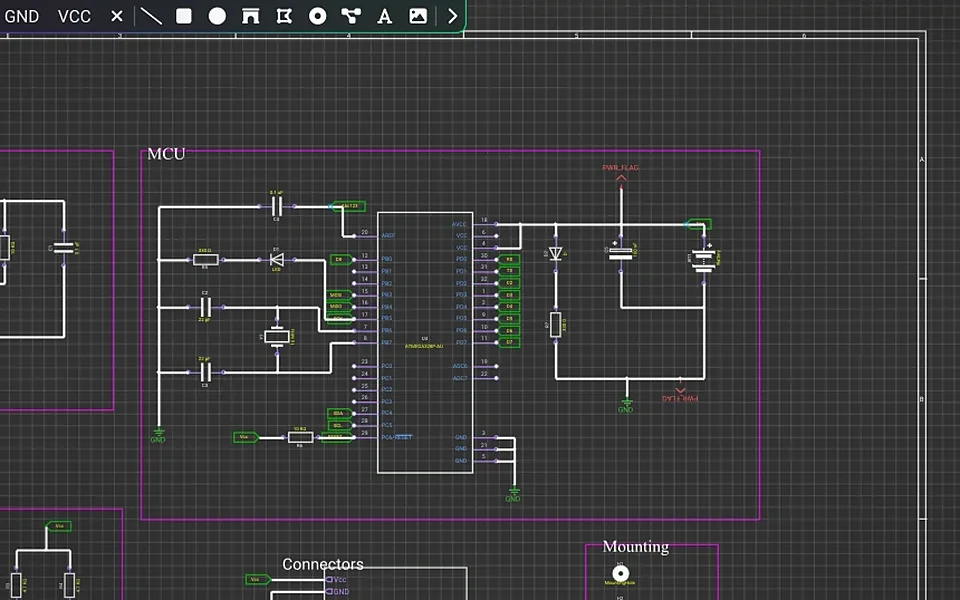
KiCad to WireFrame EDA and back: 72/72 round trips identical
Open a KiCad project in WireFrame EDA, work on it and export it back to KiCad: what comes across, what to check, and how the round trip was measured.
How to design a PCB with Claude over MCP in WireFrame EDA
Connect Claude, Codex or Cursor to WireFrame EDA over MCP and let your own agent design the board you have open: setup, the Allow step, what is counted.
Frequently asked questions.
What is WireFrame EDA?
WireFrame EDA is a desktop electronic design automation (EDA) application for schematic capture, PCB layout, 3D board preview and fabrication export — one native C++17 program on Windows, macOS and Linux, with its own geometry kernel, its own router and its own field solver rather than a stack of plug-ins. It also has an agentic AI Copilot that turns a written requirement into a schematic, BOM and netlist built from real, orderable parts, and checks every one of them against your libraries and against a datasheet it downloads and reads itself — pins against pads, land pattern against the drawing in the PDF; a High-Speed Workbench with a 2D field solver for impedance, differential-pair skew in time, return paths, crosstalk and EMI on the copper as routed; a Power Analyzer that solves DC IR drop on the real copper; an MCP server through which an agent such as Claude works on the open project with the same design tools; SPICE simulation; and multi-board products checked pin by pin across boards. It reads and writes KiCad, Altium Designer and EasyEDA projects. Every result carries the method, the assumptions and the source behind it, and nothing the AI repairs is used until a person confirms it.
Is WireFrame EDA free?
The design tools are, with no time limit and no feature held back: schematic capture, PCB layout, unlimited layers, the 3D viewer, DRC and DFM, and Gerber/drill/BOM/PDF export. You can design a board and order it without ever paying, and there is nothing to cancel. What is paid is the AI: the Copilot and the advanced analysis come with Pro ($17/month) or Max ($89/month), on their monthly AI credit.
Do I need an account?
Yes. You sign in once from the desktop app with email, Google or GitHub. After that the app works offline; AI features re-confirm your plan with the server at least every 14 days. The same account opens the full posts on the blog.
Which operating systems are supported?
Windows 10/11 (64-bit), macOS on Apple Silicon, and Linux (Ubuntu/Debian .deb package). The app is a native C++17 program using OpenGL.
Can I use my KiCad or Altium Designer libraries and projects?
Yes. WireFrame reads KiCad symbol (.kicad_sym) and footprint (.kicad_mod) libraries and imports Altium Designer libraries. Whole KiCad projects open through File › Import › KiCad Project. WireFrame also imports Altium Designer projects and exports a design as a KiCad, Altium Designer or EasyEDA project, with every net checked against WireFrame's own netlist.
Does WireFrame check high-speed and power integrity?
Yes. The High-Speed Workbench checks impedance (with a 2D field solver), differential-pair skew and length or time matching, return paths, crosstalk, decoupling, PDN impedance and EMI on the routed copper, and checks interfaces such as USB, PCIe, Ethernet, HDMI, MIPI and DDR against their published layout rules. The Power Analyzer solves DC IR drop on the real copper. Every result carries its method, assumptions and source, and nothing reads PASS that cannot be proven.
When is the AI Copilot available?
The AI Copilot is available in WireFrame today.
What does the WireFrame AI Copilot do?
It turns a written requirement into a BOM, a netlist and an editable schematic built from real parts; checks every part against your libraries and its datasheet; drafts missing symbols and footprints; repairs a part on request with /fix; runs SPICE on the result; and reviews the open board. Every change is a normal edit you can review.
Which AI does WireFrame use?
WireFrame AI, WireFrame's own AI service. It picks the model for each task, your plan's AI credit pays for it, and the app shows WireFrame AI and the credit you have left — there are no keys or models to set up.
Is my design sent to the cloud?
Your projects stay on your computer — there is no cloud copy. A Copilot request carries your message and only the part of the design it is about. It goes to WireFrame AI, which adds WireFrame's instructions and checks your plan; it records which task ran and what it cost, not the contents.
Does it export files for PCB manufacturing?
Yes: Gerber RS-274X, Excellon drill files, BOM and PDF, with a built-in Gerber viewer to check the output.
How can a company sponsor WireFrame?
See the Sponsor page: PCB fabs, component distributors, universities and hardware companies can support development and reach engineers and students who design boards every day.
How are AI credits counted?
One credit is $0.01 of real model spend. The server reserves an estimate before a request, then charges what the provider actually reported — so a short question costs little and a full board costs what a full board costs. A typical Copilot step is 1-2 credits and a whole board drawn and checked is about 90-160. Your remaining balance is on your account page.
What is the MCP server?
A way for the agent you already use — Claude, Codex, Cursor or any other MCP client — to work on a real WireFrame project: 117 design tools for placing, routing stages, copper pours, power and signal integrity, and the board check, on the board open on your machine. It is part of WireFrame from version 2.0.1 on. It needs a plan that includes it: Pro has 500 tool calls a month, Max has no ceiling, and a pack of 7,999 calls for $59 tops up Pro. From WireFrame 2.0.3 a call counts only when it changes the design or puts WireFrame's own agent to work: reading, checking and analysing are free.
Who makes WireFrame EDA?
An independent engineering team, not a division of a larger CAD company — which is why the roadmap answers to the people using it. The application is written from scratch in C++17: its own geometry kernel, its own router, its own field solver, its own Gerber parser. Nothing in it is a wrapper around someone else's EDA core.
Design your next board in WireFrame.
Download, sign in once, and design for free. The AI Copilot comes with Max and Pro.