Update (2026-11): the Power Analyzer shipped in WireFrame 2.0.1 and comes with Pro and Max; the current release is 2.0.4.
Every regulator datasheet promises a voltage at its output pin. Your processor sees something else: whatever is left after every track, thermal-relief spoke, via and plane on the way has taken its share — on the supply side and again on the return. On a crowded board with a 1 A core that can be the difference between working and brown-out resets that only happen on Tuesdays.
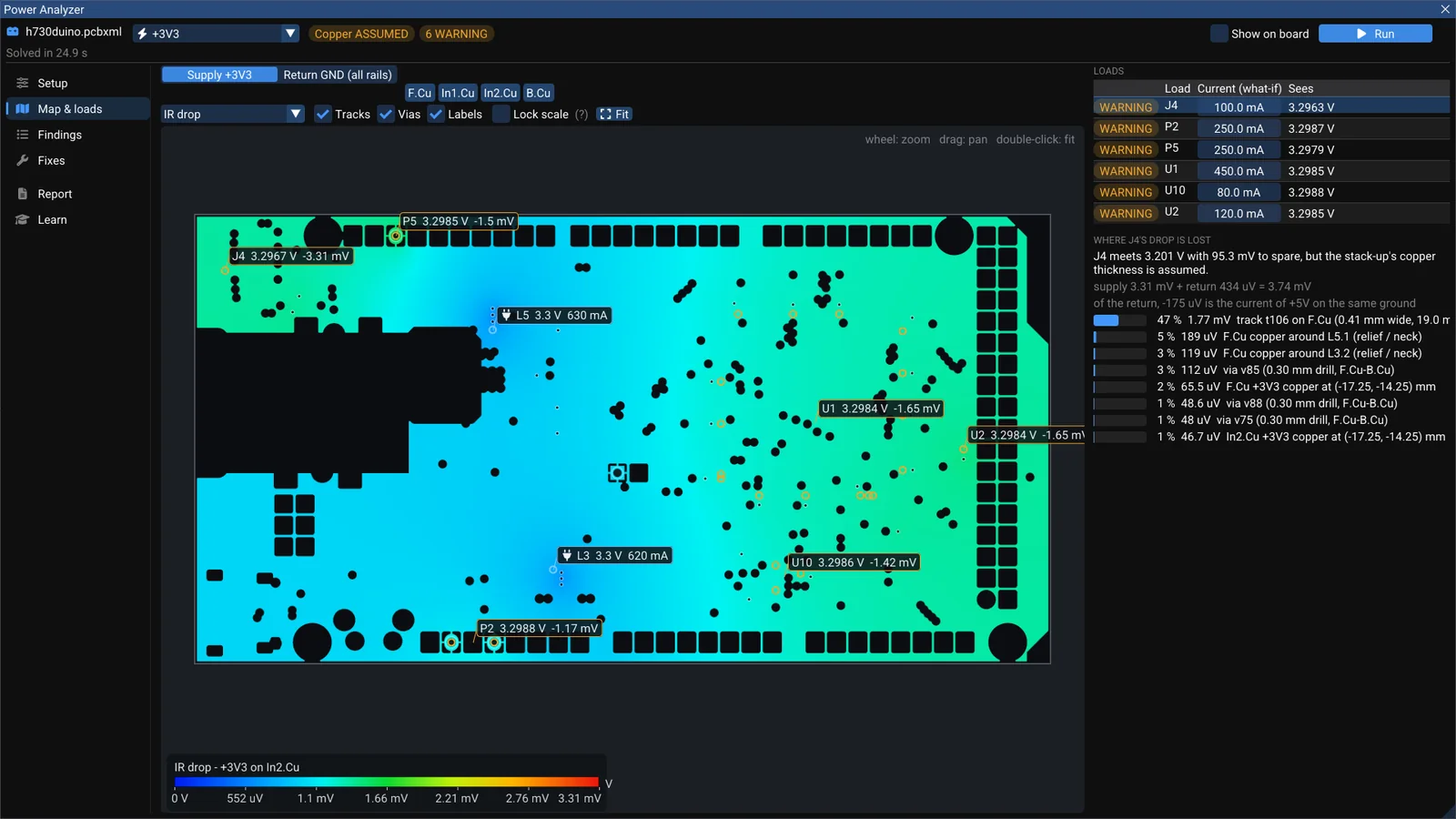
WireFrame's Power Analyzer (in the beta of the next release) answers the question directly: what voltage does each chip really see, and where is the rest lost? Here it is on the +3V3 rail of h730duino (STM32H730, 4 layers, MIT, by Martin Ribelotta).
Setup: say what feeds and what draws#
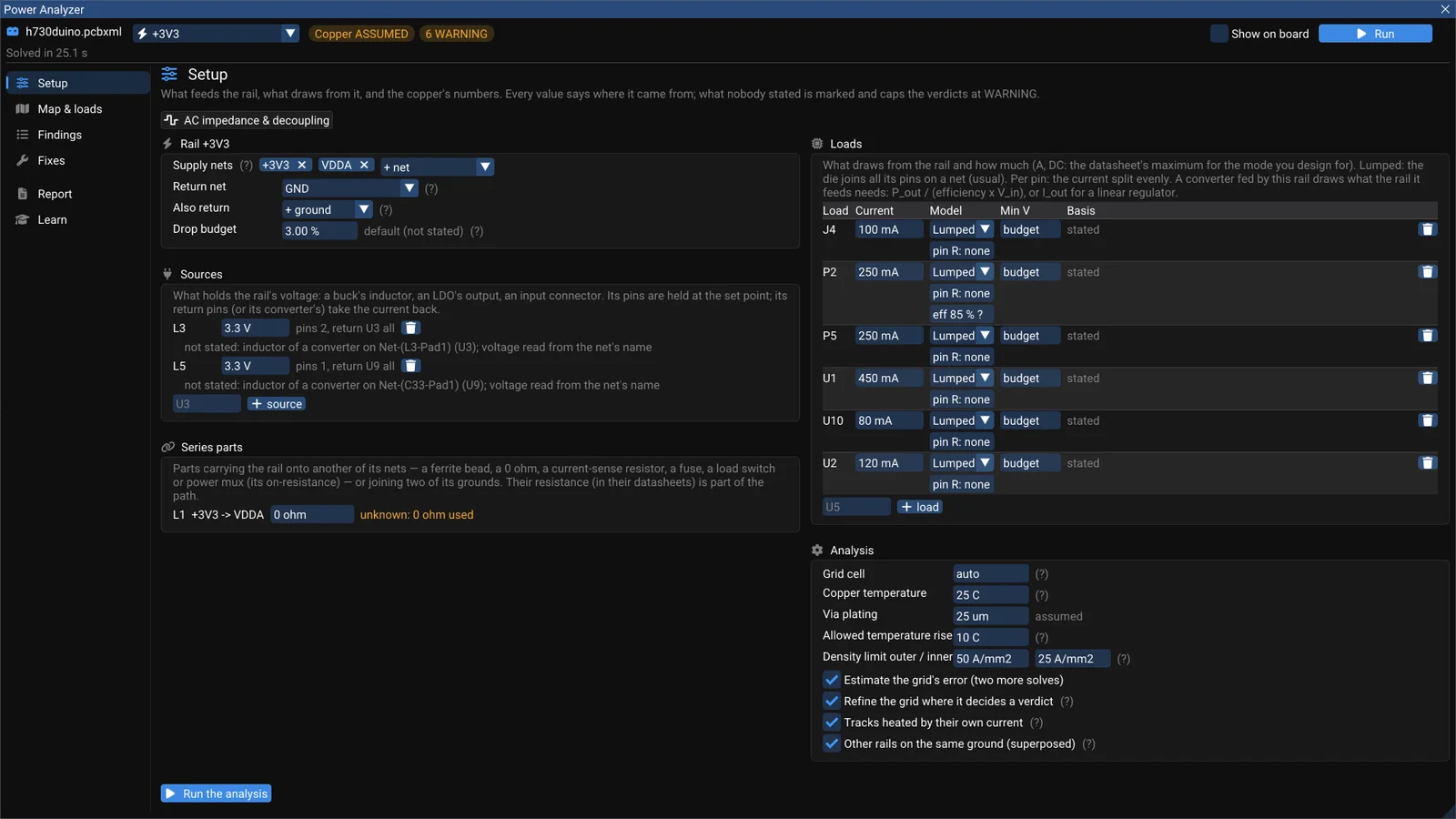
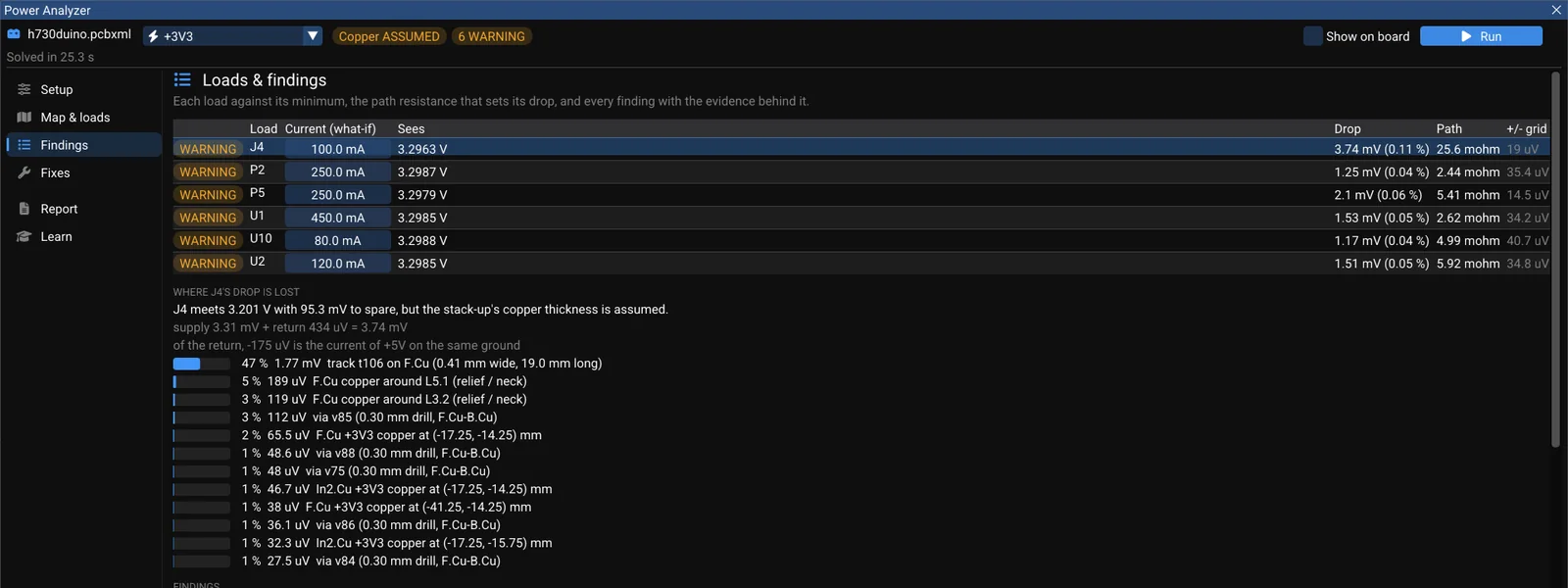
Use proposed reads the netlist and sets up the rail: the supply nets (+3V3 and VDDA, joined by the ferrite L1), the return (GND), two sources (the inductors of two buck converters) and the loads. You state each load's current — for these pictures we typed 450 mA for the MCU and a few hundred mA for the headers; for a real review you take the datasheets' figures. Every value says where it came from, and anything nobody stated caps the verdict at WARNING. The copper thickness here is still assumed — that is why every load reads WARNING rather than PASS, even though all of them are comfortably above their minimum.
Keep reading — it’s free
Sign in or create a WireFrame account to read the rest of this post and every guide on the blog.
- The rest of this post — about 2 min of reading
- The same account signs in the WireFrame desktop app
- Free design tools, no time limit
Sign in to WireFrame
One account for the desktop app and this site.