How do you connect Claude Code, Codex or Cursor?
One command each (Linux path shown; use yours):
# Claude Code, for every project on this machine
claude mcp add --scope user wireframe -- /usr/bin/wf-mcp-server

# Codex
codex mcp add wireframe -- /usr/bin/wf-mcp-server
For Cursor, put the same command in ~/.cursor/mcp.json under mcpServers, with "type": "stdio". VS Code reads .vscode/mcp.json and calls the list servers, not mcpServers — with the wrong key the entry is silently ignored. Any other client needs only the command: no arguments, no environment.
What happens when you press Allow?
The first time your agent calls a tool, WireFrame's AI panel shows a card — "claude-ai wants to take command of this design over MCP" — with Allow and Decline. Nothing runs until you press Allow; your agent is told it is waiting, and those calls are not counted. The permission lasts until the agent disconnects, the next connection asks again, and Revoke in the panel takes it back. Only one client can be connected to a WireFrame at a time.
To check the connection, ask your agent "Is WireFrame busy?" It calls is_busy and answers that the agent is idle. Then have it list what it can do on the open board (list_design_tools) and read the guide start_here with read_guide. All three are free.
What does a design session look like?
When you press Allow, your agent takes command of the design, and WireFrame's own agent, Penalty, becomes its co-pilot.
Your agent designs. It has 33 tools of its own: it writes the BOM (submit_bom), confirms the parts it checked (confirm_parts), writes the wiring (submit_netlist), draws the sheets (submit_blocks) and pushes the netlist onto the board (update_pcb). Through call_tool it reaches the design tools WireFrame's Copilot works with — placer, layout optimiser, router stages, copper pours, power and signal-integrity solvers, the board check: 117 tools on a project with its schematic and board open. The reasoning is your agent's; the measurements and checks are WireFrame's, from the same code that answers the Copilot panel.
It hands Penalty bounded jobs. ask_penalty gives WireFrame's agent one job — find candidates for a part, draft a symbol from a datasheet, review what your agent wrote — and run_command runs a slash command such as /layout place,route. The answer ends with what WireFrame measured Penalty changing, part by part and net by net.
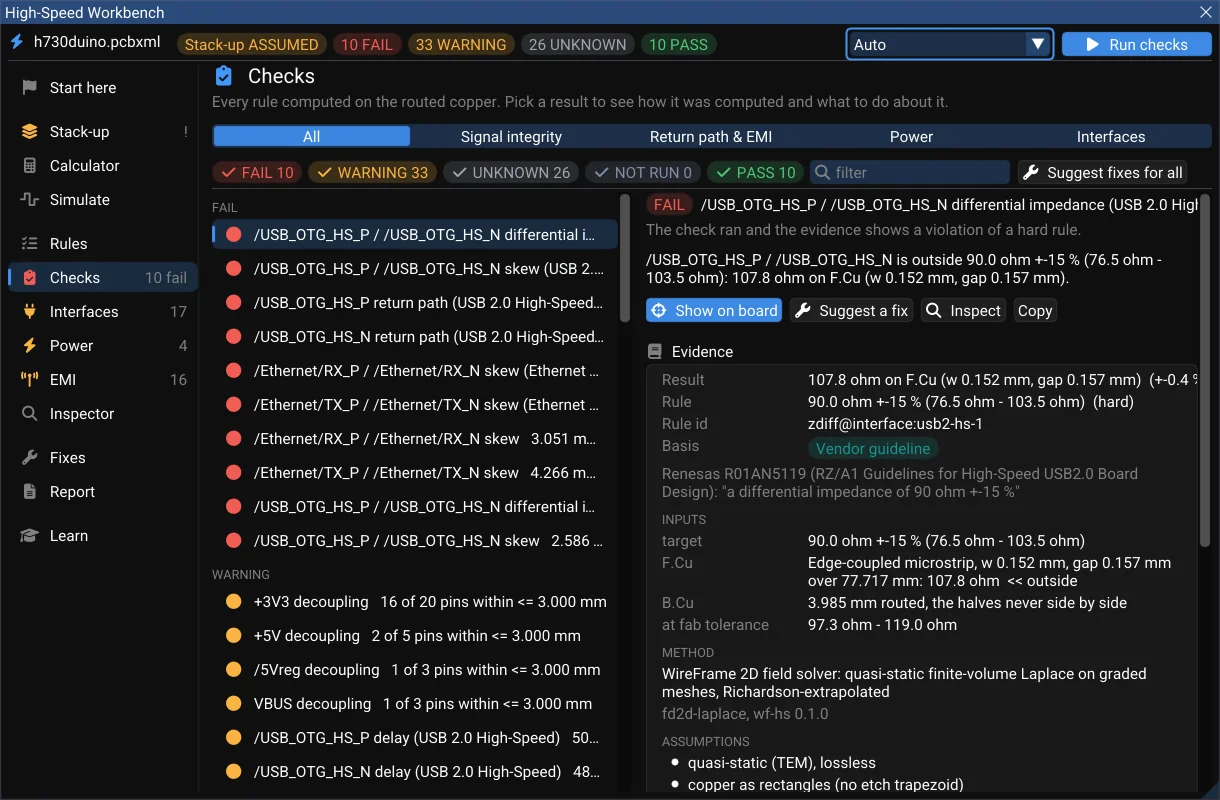
It knows when it is done. design_status returns the ERC, board checks, open connections, signal integrity and manufacturability in one answer, with done and what remains. Long tools, such as a layout proposal or a thermal analysis, run as a job when they outlast a call; job_status gives the answer and stop cancels it.
Things you can ask in plain words:
| Ask your agent |
What answers |
| "Here is the brief: choose the parts and wire it up" |
read_guide → submit_bom → confirm_parts → submit_netlist |
| "Try four placements and keep the one that routes best" |
evaluate_layouts → apply_layout |
| "Find where the 3V3 rail loses its voltage" |
power_setup_rail → power_run_ir_drop → power_suggest_fixes |
| "Check the board before it goes to the fab" |
check_board, check_manufacturing |
Tell your agent what you want before it starts. Where a design tool says to ask the person — the number of copper layers, splitting a product into several boards — the agent you put in command decides. If you have a layer count or a board size in mind, put it in the brief.
What waits for you, and what can your agent not do?
- Copy first. Every tool that would move a part, lay copper or rewrite a rule works on a copy and reports what it would do (
propose_layout, evaluate_layouts, preview_patch, power_preview_fix). The change reaches the board only through a step that applies it, such as apply_layout; checkpoint_board keeps a named copy that restore_board puts back.
- High-speed and power fixes wait for a person.
apply_approved_patch and power_apply_approved_fix apply only what you approved in WireFrame's own window.
- The checks still hold.
confirm_parts refuses a part that fails verification, as your own Confirm button would; edit_schematic refuses an edit that introduces an error. Each change is one undo step, recorded against the client that made it.
- Not over MCP: exporting Gerbers (do that in the app), closing a project with unsaved changes, or a second client at the same time.
"Done" means the checks pass. Heat, noise and an independent review are still to do, and you check the files before you order boards.
What is counted, and what is free?
You pay for changes, not for looking.
| What happens |
MCP calls |
| A change to the design: the BOM, the wiring, the sheets, a layout applied, a pour edited |
1 |
ask_penalty, run_command, build_blocks |
1, plus the AI credits Penalty's turn spends |
| Reading, checking, analysing, a layout tried and not applied |
0 |
| Connecting, listing the tools, reading a guide, a refused call |
0 |
Your agent's own reasoning spends no WireFrame AI credits. Pro includes 500 calls a month, then an MCP pack (7,999 calls, valid twelve months); Max has no monthly ceiling, under the fair-use limits in the Terms. Prices: pricing page.
Where does the design go?
The bridge talks to WireFrame over a local socket in your own user folder; there is no network port. A tool reads the project from your disk and answers your agent; what your agent does with the answer is between you and your agent's provider. For MCP itself, WireFrame sends your account only how many calls were used and the name of the agent that used them.
If the agent cannot connect, it repeats WireFrame's own words; the guide explains each one, with the fix, under When it does not connect.
Next: the MCP server · what every tool does · MCP tool reference · what waits for your approval · Download WireFrame EDA