AI Copilot
Copilot Commands
On this page
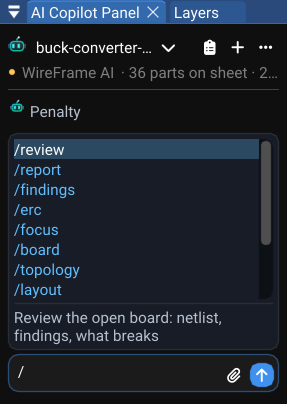
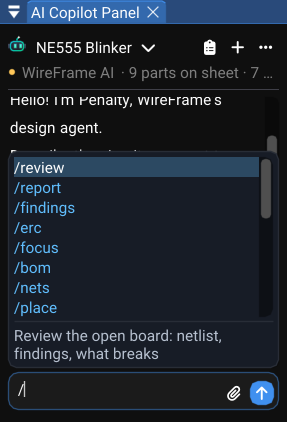
Type / in the AI Copilot chat box to open the command list. The list filters as you type; use the arrow keys and Enter to pick a command, or keep typing its arguments. Anything that does not start with / is an ordinary question — mention a reference designator (U1) or a net name (VBUS) and only that part of the design is sent with it.
The commands are not one long list. What / offers depends on the panel in front of the chat: a schematic, a PCB, the simulation workbench, the Library Workspace, or nothing at all while a design is still being planned in the chat. A command that cannot do anything where you are is not offered there.
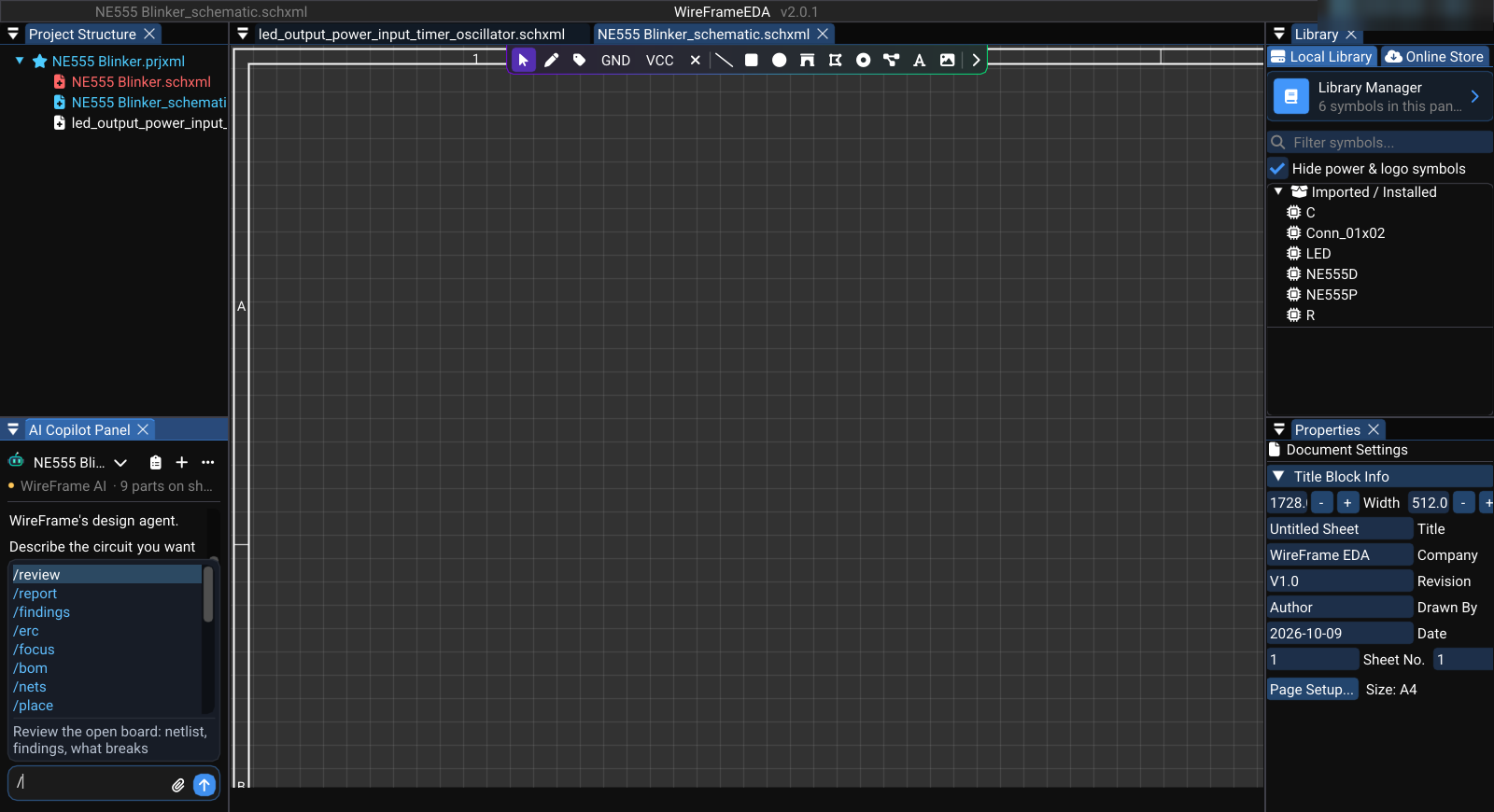
How the list is chosen#
- The panel in front decides. The schematic offers the schematic's commands, the PCB the board's, the Library Workspace the library's. From the PCB, the commands that read a design being planned in the chat are not offered — there is nothing for them to read.
- What the last answer told you to run comes first. When a reply says "run
/retry-bom", that command is the first row of the list, wherever it would normally be. - Recovery steps stay out of the way.
/retry-research,/retry-bom,/retry-bom-all,/retry-netlist,/rebuildand/forgetare only offered when a reply names them, or when you type their name. - Typing a name always finds it. A command typed in full works from any panel; the list only decides what is suggested.
/helpprints the commands of the panel you are on, and where the others work.
Commands marked no model call read WireFrame's own data. They answer instantly, cost nothing and give the same answer every time — try them before asking an open question.
Where each command is offered#
| Command | Planning (no tab) | Schematic | PCB | Simulation | Library Workspace |
|---|---|---|---|---|---|
/bom /nets /missing /issues /specs |
✓ | ✓ | |||
/pins /fix /symbol |
✓ | ✓ | |||
/footprint |
✓ | ✓ | ✓ | ✓ | |
/review |
✓ | ✓ | ✓ | ||
/report /findings /focus /unfocus |
✓ | ✓ | |||
/arrange |
✓ | ||||
/board /topology /layout |
✓ | ||||
/contract |
✓ | ✓ | ✓ | ✓ | |
/sim /corners /sim-blocks /sim-why /sim-explain /model /verify-model |
✓ | ||||
/check-physics /check-template /describe /deepsearch /deepthink /edit /stop |
✓ | ||||
/memory /remember /help |
✓ | ✓ | ✓ | ✓ | ✓ |
In the Library Workspace, /review, /contract, /symbol and /footprint work on a library part, not on a design — see Library Workspace below.
Planning a design in the chat#
Before a schematic exists, the Copilot holds a draft: the requirements, the BOM it chose and the netlist it is wiring. These commands read and repair that draft. They are offered with no document open and on the schematic.
| Command | What it does | Why it is there |
|---|---|---|
/bom |
The planned BOM and which rows are still unresolved. No model call. | The fastest way to see what the run chose and what it is still missing |
/nets |
Every net in the planned design and its pins. No model call. | Check the wiring before it becomes a sheet |
/missing |
Parts with no library symbol. No model call. | These cannot be placed; each needs a library decision |
/issues |
Numbered review findings: why each matters and what its fix would do | Answer them by number — fix 2, accept 3 because the LED is decorative |
/specs |
The requirements the design was built from, and what was assumed for you | An assumption you did not make is the first thing to check |
/place [now] |
Penalty's placement review: what can be drawn now, what waits and why. now covers the marked findings and builds the sheets |
Place a design with findings still open, marked on the canvas — see Placement Review |
/reference <U2> [folder \| project \| URL] |
Lift the part's support circuit from a built KiCad or Altium design and add it as a revision | Reuse a circuit someone already built and tested — see Reference Designs |
/pins [U1] |
Name a bound symbol's blank pins from the datasheet, keeping the pin numbers | A symbol with Pin_1…Pin_8 cannot be wired by name |
/fix <U1> <what is wrong> [file.pdf] |
Repair one part: describe it, attach a datasheet if you have one; WireFrame proposes before it changes anything | One wrong part, fixed with evidence, without redrawing the design |
/symbol <U1> <describe it> [image \| pdf] |
Design one part's symbol from a description, pinout images or a datasheet, built live in the Symbol editor | When the library has no symbol for the part |
/footprint <U1> <describe it> [image \| pdf] |
Design one part's land pattern the same way, held against its symbol so every pin has a pad | When the library has no land pattern for the part |
Resume a design run#
If a long run stops — the AI service was busy, your credit ran out, the network dropped — resume it instead of starting over. These are offered when a reply names them.
| Command | Resumes from |
|---|---|
/retry-research |
The retained original request, once the cause is fixed |
/retry-bom |
The retained research; only unresolved BOM rows are chosen again |
/retry-bom-all |
The retained research; every BOM row is chosen again, confirmed parts included |
/retry-netlist |
The current saved BOM; the wiring is generated again |
Schematic#
On a schematic, the Copilot answers from WireFrame's design graph — the parts, pins and nets read from your sheets, rebuilt whenever they change. The draft commands above are offered here too.
| Command | What it does | Why it is there |
|---|---|---|
/review |
Review the open design: netlist, findings, what is likely to break | A second pair of eyes before you lay the board out |
/report |
Write a full design report | Something to read or hand over, rather than a chat answer |
/findings |
List what WireFrame's own checks found. No model call. | Free and often enough on its own — run it before /review |
/focus <U1 \| NET \| U1:3> |
Pin every later question to that part, net or pin | Long sessions stay about the thing you are working on |
/unfocus |
Clear the pinned focus | |
/arrange [BLOCK] [how] |
Lay one functional block out again as you describe it: /arrange STM32 MCU crystal left of U1 |
Fix a layout you dislike without redrawing it by hand |
/contract <U1> [file.pdf] |
Work out what the part needs electrically — supply range, decoupling, pull-ups, strapping — from its datasheet, and store it | Later checks hold the design to it; see Datasheets, Repairs and Project Memory |
/rebuild |
Rebuild the design graph from the project files and list what it found | Offered on request, when an answer looks out of date |
PCB#
On a board the Copilot reads the same design graph plus the board itself.
| Command | What it does | Why it is there |
|---|---|---|
/review, /report, /findings, /focus, /unfocus |
As on the schematic, with the board included | |
/board <describe the board> |
Set the board's shape from a sentence: /board 100x80 mm, 3 mm corners, M3 holes 4 mm from each corner |
See Board Shape and Outline |
/topology [what you want] |
One board or a tower of boards, the options measured side by side from the design and the 3D files | Decide the stack before any copper is drawn |
/layout [stages \| fix \| apply \| discard \| rules \| check \| request] |
Lay the PCB out — place, planes, vias, route — and watch it live; fix runs, measures every failure and runs again; nothing changes until you apply |
See Placement and Routing Assistant |
/footprint <U1> <describe it> |
Design a part's land pattern, held against its symbol | |
/contract <U1> |
As on the schematic |
Simulation workbench#
A design's sheets are not simulated: a simulation is a file of its own (.simxml), made with Simulation → New Simulation or Simulation → Simulate a Block of This Sheet…. With one in front, the Copilot works on its circuits and on the last run.
| Command | What it does | Why it is there |
|---|---|---|
/sim-blocks |
The circuits on this sheet: which can run, and what each is missing. No model call. | Know what can be simulated before you ask |
/sim [N \| U1 \| all] [board] |
Run the simulation — one block, the block holding U1, every block that can run — and report what it measured against the testbench; board puts the routed board's copper in series with each supply |
|
/corners [N \| U1 \| all] |
The testbench at the ends of every part's tolerance and at −40 / 25 / 85 °C, each part pushed in its own worst direction | A design that only works at 25 °C is not finished |
/sim-why |
Why the last run failed, read from the engine log and the netlist deck | |
/sim-explain [NET] |
What the last run's waveforms mean — or one signal's — against the testbench | |
/model <U1> [file.lib \| draft] |
A SPICE model for a part: the manufacturer's, found, downloaded and wired to the symbol's pins; one you have; or draft to build one from the datasheet's numbers and measure it against them |
A part with no model cannot be simulated honestly |
/verify-model <U1> [datasheet.pdf] |
Measure the model the way the datasheet measures the part, at the table's own conditions, and say number by number whether the model is the part | A model is only as good as its agreement with the datasheet |
/contract <U1> |
As on the schematic |
Library Workspace#
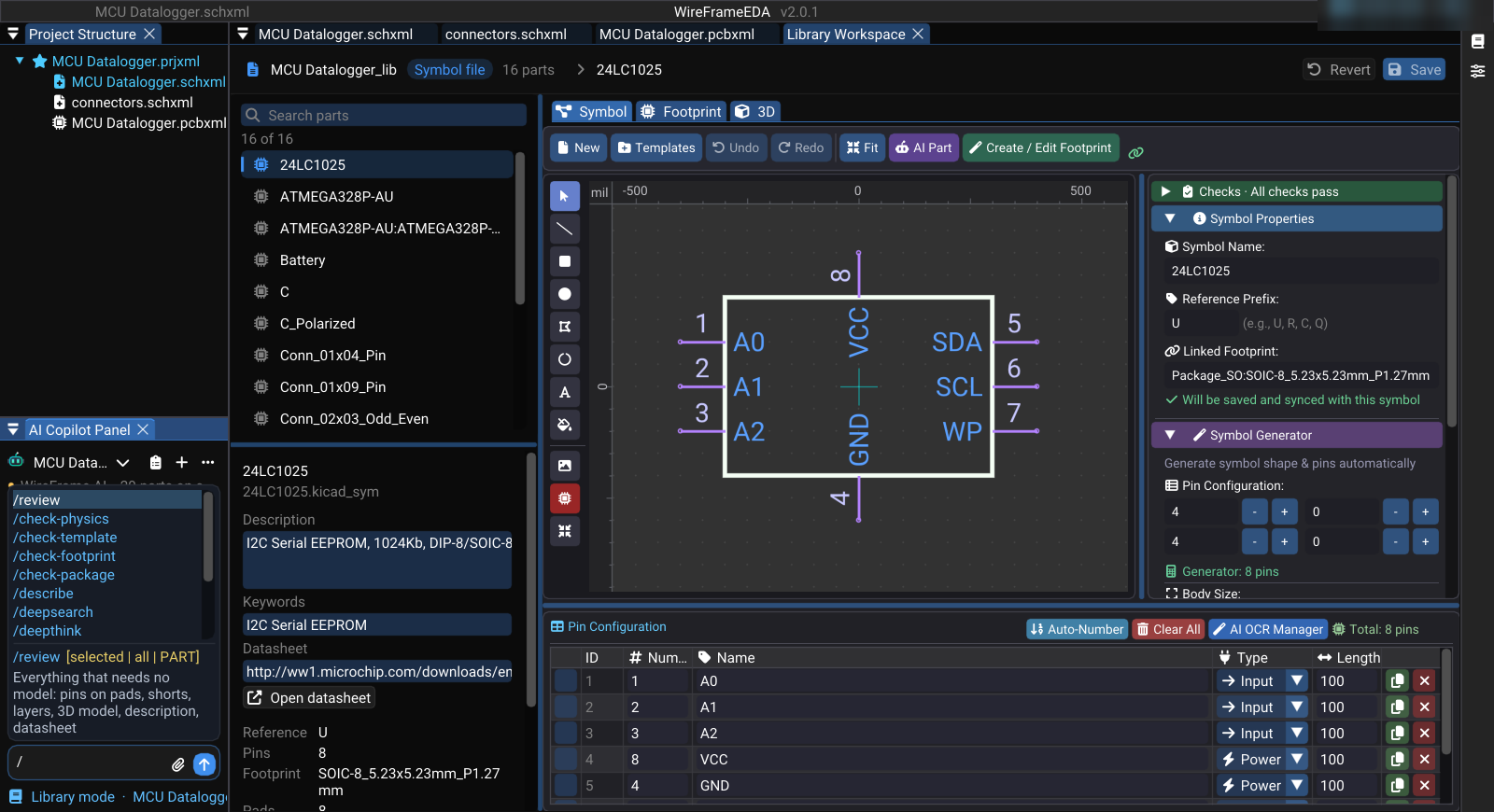
When a library is open for editing in the Library Workspace, the Copilot works on library parts. Each command runs on the open part, on the parts selected in the list (selected), or on the whole library (all).
| Command | What it does | Why it is there |
|---|---|---|
/review [selected \| all \| PART] |
Everything that needs no model: pins on pads, shorts, layers, 3D model, description, datasheet | A library audit in one pass, free |
/check-physics [selected \| all \| PART] |
The land pattern as copper: pin to pad by number, pads that short, the measured pad geometry | A footprint is wrong on every board that uses it |
/check-template [selected \| all \| PART] |
The land pattern against the standard drawing of the package it names | SOIC-8 should look like SOIC-8 |
/describe [selected \| all \| PART] |
Write a description and search keywords from what the part is; a batch only fills empty ones | Parts with no keywords are hard to find — for you and for the matcher |
/deepsearch [selected \| all \| PART] |
Find the datasheet: the model names a URL, WireFrame downloads it; only a link that downloaded is written | A datasheet field that points nowhere is worse than an empty one |
/deepthink [selected \| all \| PART] |
Read the datasheet pin by pin, citing a page for each, and hold it against the symbol | Catches a swapped or misnamed pin before it is placed |
/contract [selected \| all \| PART] |
What the part needs electrically, from its datasheet, stored with the part | Every board that uses the part is then checked against it |
/edit <what to change> |
Change the open part — symbol or land pattern, chosen from your words; asks when unsure | |
/symbol <what to change> |
Edit the open part's symbol, placed live in the Symbol tab | |
/footprint <what to change> |
Edit the open part's land pattern, placed live in the Footprint tab | |
/stop |
Stop the running batch; what is done stays done | Batches over all can be long |
Everywhere: project memory and help#
| Command | What it does |
|---|---|
/memory |
What this project has established across all conversations |
/remember <text> |
Pin something the assistant must not forget: /remember no electrolytic capacitors |
/forget <id> |
Drop one remembered fact; the id comes from /memory (offered on request) |
/help |
The commands of this panel, and where the others work |
Memory belongs to the project, not to one chat session, so it outlives every conversation about that project. A fix you apply is remembered the same way, so a later run does not undo it.
Tips#
- Use
/findingsbefore/review: it is free and often answers the question. /fixrepairs one part. For the whole design's errors and warnings, use/findingsor/issues.- Commands answer in the language of the conversation. Ask for another — "answer in English", "trả lời bằng tiếng Việt" — and every later answer, question and option follows it.