Reference
Configuration and Session
On this page
WireFrame saves workspace preferences and enough session information to reopen recent projects and documents. Use the application settings for normal changes; manual file editing is a recovery procedure.
What WireFrame remembers#
Depending on the feature used, the local configuration can include:
- Open projects, open documents, and standalone files.
- Recent open, save, import, export, and project folders.
- Window position, size, docking slots, and multi-monitor behavior.
- Units, grid and snap settings, rotation step, and default trace width.
- Autosave preferences.
- Simulation defaults.
- Layer visibility and lock state.
- Custom keyboard shortcuts.
- Optional sign-in data, a device identifier, and AI provider settings.
Contains private data
The configuration contains your sign-in data and any distributor API keys. Never attach the complete file to an issue report or place it in source control.
Change preferences safely#
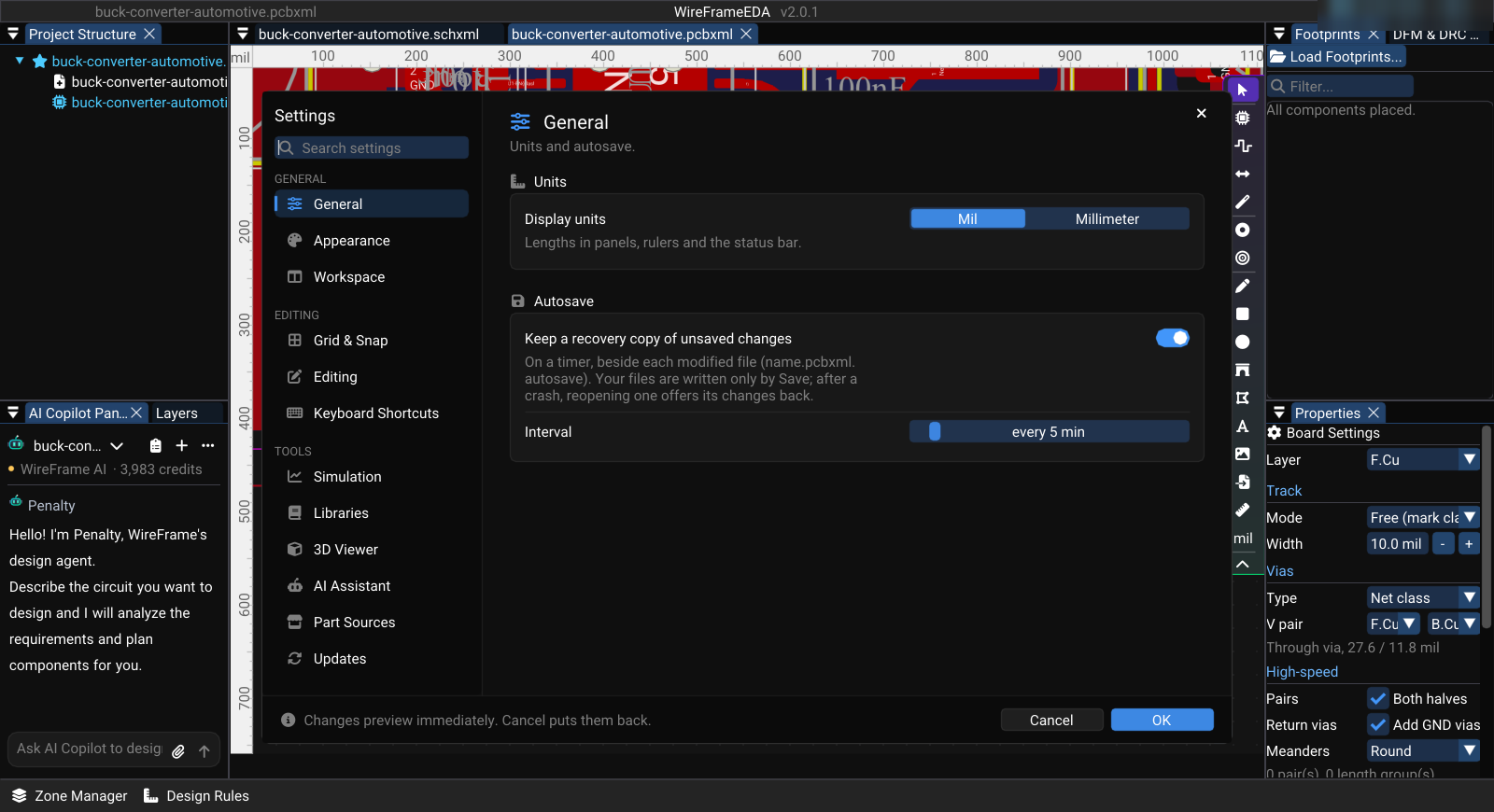
Open Preferences → Preferences... (Ctrl+,), pick a category on the left (or type in the search box), change the value, and select OK. Cancel puts back what was there when the dialog opened.
| Category | Typical settings |
|---|---|
| General | Display units, autosave and its interval |
| Appearance | Theme mode, accent colour, interface font and size |
| Workspace | Detachable panels, companion panels, default layout, restore on launch, layout presets |
| Grid & Snap | Grid, crosshair, snapping, grid step |
| Editing | Rotation step, default trace width for new boards |
| Keyboard Shortcuts | Key bindings |
| Simulation | Default analysis, transient defaults, engine executables |
| Libraries | Library sources, online catalog, library cache folder |
| 3D Viewer | Board preview materials |
| AI Assistant | WireFrame AI and your plan's AI credit left |
| Updates | Version, licence tier, and update check |
For an important project, restart WireFrame once and verify that the setting persists.
Session restoration#
WireFrame records the currently open project and document paths during normal use and shutdown. At the next launch it attempts to restore files that are still available.
If an item is not restored:
- Confirm that the file or drive still exists at the saved location.
- Open the project manually from File → Open Project (.prjxml) or Open File.
- Close WireFrame normally so the refreshed session is saved.
Unsaved design edits are not a substitute for autosave or a deliberate Save operation. Save before simulation, export, or application update.
Local configuration location#
Current builds use user_config.json in the WireFrame configuration directory:
| Platform | Current location |
|---|---|
| Windows | %APPDATA%\WireFrame\user_config.json |
| Linux | ~/.config/wireframe/user_config.json |
| macOS | ~/.config/wireframe/user_config.json |
The file is created automatically. Its internal fields are implementation details and may change between releases, so examples of the raw JSON are intentionally omitted from this guideline.
Reset WireFrame preferences#
Use this only when startup or workspace state remains broken after a normal restart.
- Close WireFrame.
- Make a private backup copy of
user_config.json. - Rename the original file, for example to
user_config.backup.json. - Start WireFrame and verify the clean defaults.
- Re-enter preferences manually. Do not copy authentication or AI-key fields into a support ticket.
Renaming is preferable to immediate deletion because the previous settings remain recoverable. The reset clears saved session, layout-related preferences, custom shortcuts, sign-in state, and AI settings; it does not delete project files.