Reference
Supported File Formats
On this page
This page lists the formats WireFrame opens directly, the formats it imports through a specific command, and what it writes.
WireFrame project files#
| Extension | Purpose |
|---|---|
.prjxml |
WireFrame project and its document references |
.schxml |
WireFrame schematic document |
.pcbxml |
WireFrame PCB document |
Keep the project and referenced files together when moving or archiving a design. Their internal schema may evolve, so edit them through WireFrame rather than by hand.
Project import#
Use File → Import → KiCad Project for:
| Extension | Source |
|---|---|
.kicad_pro |
Current KiCad project |
.pro |
Legacy KiCad project |
The importer reads the documents available from the selected KiCad project. Review imported symbols, footprints, nets, layers, and board outline before continuing.
Not supported
Altium .PrjPcb and Eagle projects cannot be imported. Altium libraries can — see below.
Library sources#
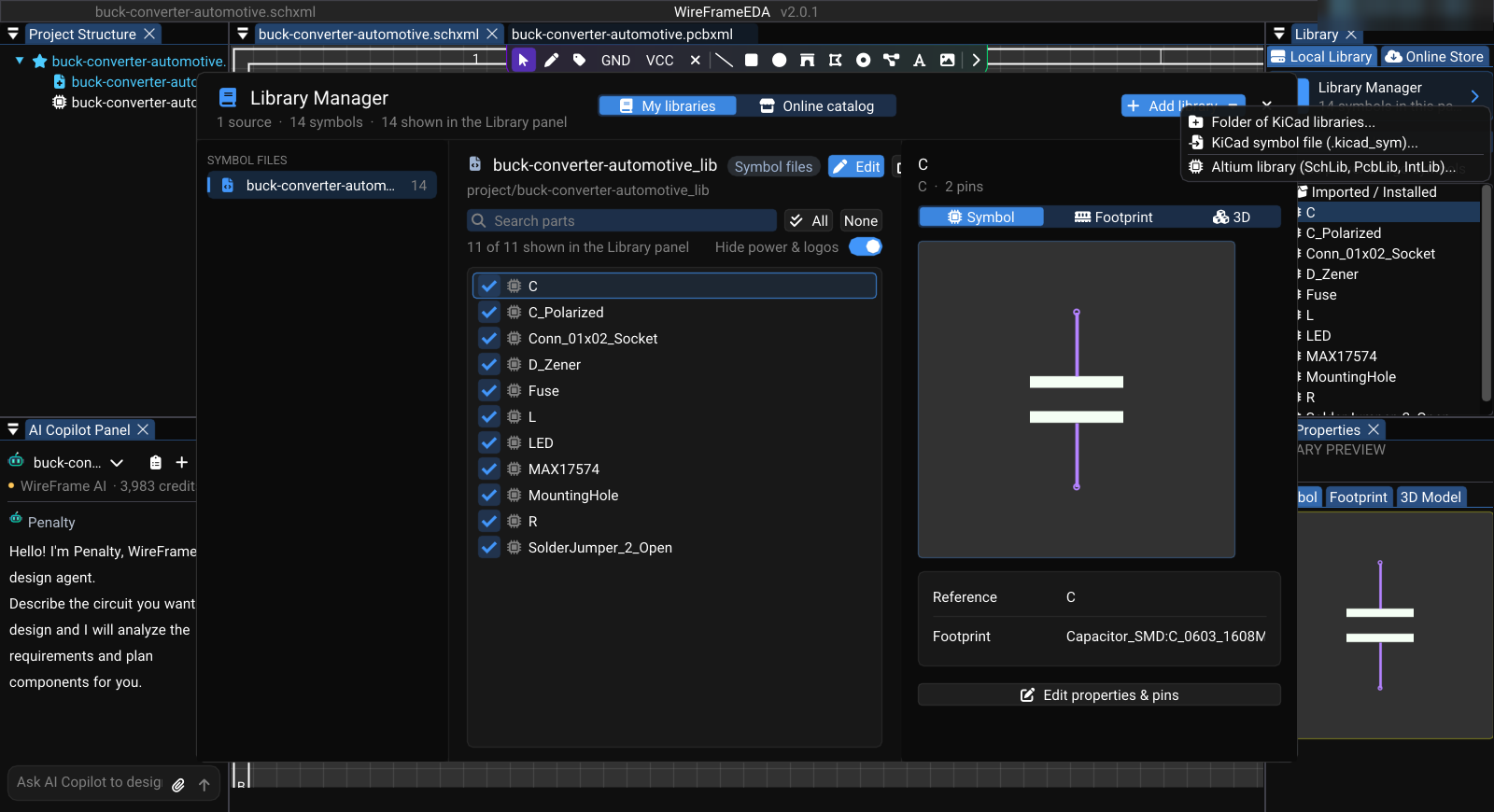
Open View → Local Library Manager for supported library workflows:
| Format | Use |
|---|---|
.kicad_sym |
KiCad symbol library |
.kicad_mod |
KiCad footprint |
.SchLib |
Altium symbol library import |
.PcbLib |
Altium footprint library import |
.IntLib |
Altium integrated library import |
.LibPkg |
Altium library package import |
Imported library data must be reviewed against the source datasheet before use. Eagle .lbr, .sch, and .brd import are not part of the current library manager.
PCB outline import#
With a PCB active, use File → Import → CAD Outline (.svg / .dxf)....
| Format | Read as |
|---|---|
.svg |
Board outline, or graphics on Edge.Cuts / Top Silk / Top Cu; size from the Scale field. The Import CAD (SVG) toolbar button reads SVG too |
.dxf (ASCII) |
Board outline only (Import as BOARD OUTLINE); size from $INSUNITS. LINE, LWPOLYLINE, POLYLINE, CIRCLE, ARC, SPLINE are read; blocks (INSERT) and binary DXF are not, and are named in the verdict |
The board shape is saved in the .pcbxml. See Board Shape and Outline.
| Assembly | Extension | Contains |
|---|---|---|
| Multi-board assembly | .asmxml |
The boards that make up a product — the project's PCBs, boards of other projects and bought boards — and every connection between them. The tower itself is the project's board stack. See Multi-Board Products |
Exchange with other EDA tools#
| Direction | Formats | Menu |
|---|---|---|
| Import | KiCad .kicad_pro / .pro projects; Altium .PrjPcb, .SchDoc, .PcbDoc, .SchLib, .PcbLib, .IntLib, .zip |
File → Import |
| Export | KiCad project, Altium Designer project, EasyEDA Standard (_Schematic.json, _PCB.json) |
File → Export |
| Mechanical | STEP (board and parts, for the case) | Board Fit → Export for the case (STEP)... |
See Import and Export.
Fabrication and documentation outputs#
Depending on the selected export workflow, WireFrame can produce:
| Format | Written by | Purpose |
|---|---|---|
Gerber X2 (.GTL, .GBL, .G1…, .GTS, .GBS, .GTP, .GBP, .GTO, .GBO, .GKO, .GM1–.GM4) |
Fabrication package | Copper, mask, paste, silkscreen, outline, and documentation layers |
Excellon drill (Drill_PTH.DRL, Drill_NPTH.DRL) |
Fabrication package | Plated and non-plated drilling data |
IPC-D-356A (.d356) |
Fabrication package | Netlist for bare-board electrical test |
Gerber job file (.gbrjob) |
Fabrication package | Stackup and file list |
CSV (BOM.csv, BOM_Grouped.csv, PickAndPlace.csv) |
Fabrication package | Bill of materials and component positions |
README.txt, Drill_Report.txt |
Fabrication package | Package inventory and drill summary |
.zip |
Fabrication package | All of the above in one archive |
| Export Schematic to PDF..., Print PCB to PDF (1:1)... | Schematic documentation; one true-scale PDF per PCB layer | |
.kicad_mod, .kicad_sym |
Footprint and Symbol Library Editors | Library parts |
An exported file is not self-validating. Inspect the package, confirm the saved board revision, and follow the Fabrication and Export checklist.