High-speed & power
Fixes, Reports and the AI
On this page
The High-Speed Workbench never changes your board on its own. A fix is a proposal you can look at before anything happens, and the evidence behind every result can be written down for a review, a customer or a certification file.
Fixes#
Press Suggest a fix on a result, or Suggest fixes for all on the Checks page. Each proposal lands on Fixes and moves through four states:
Proposed → Previewed → Approved → Applied
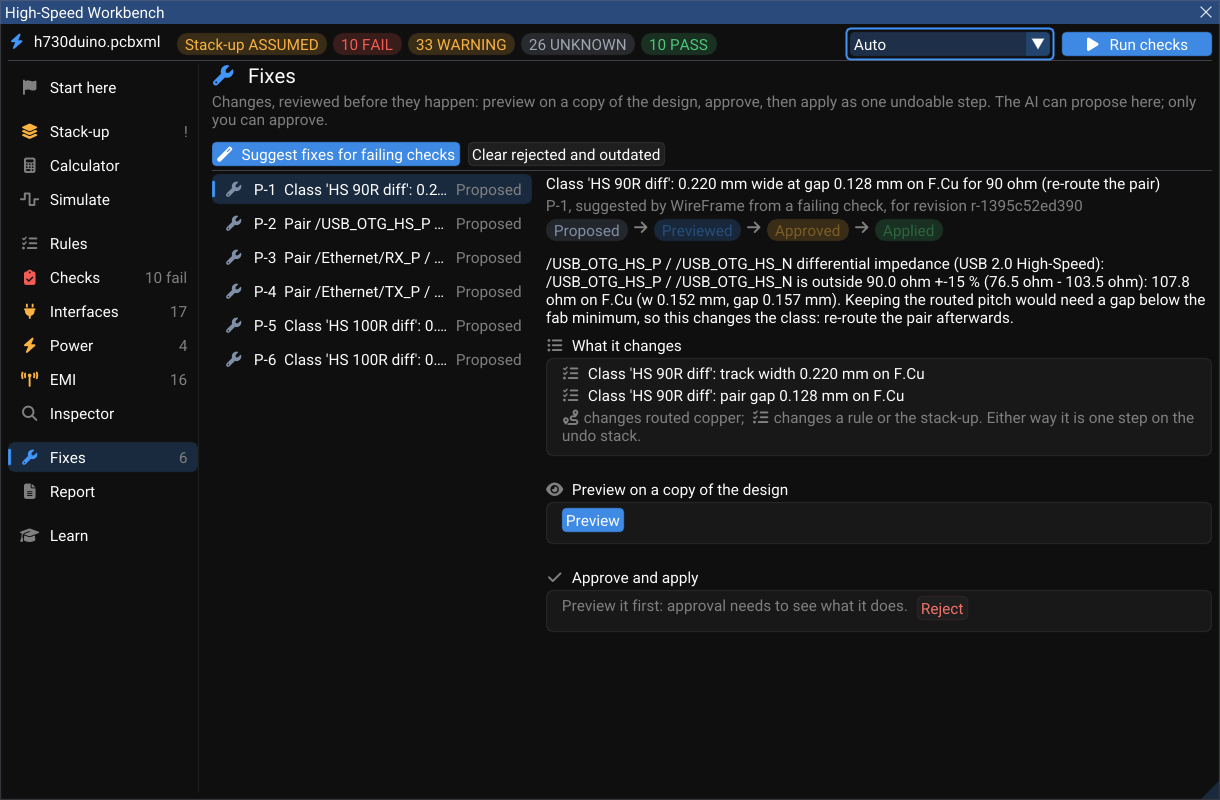
- Preview applies the change to a copy of the design and runs the checks again on that copy. You see what it fixes and anything it breaks.
- Approve — only a person can. The approval records who approved it and on which revision of the board.
- Apply to the board writes it as one undoable step (rules and copper together). Ctrl+Z takes it back like any edit.
- Roll back takes an applied fix back from this page.
On h730duino, fix P-1 changes the net class HS 90R diff to 0.220 mm wide with a 0.128 mm gap on F.Cu, which brings the USB pair to 90 Ω.
A fix can change a net class's rules (width, gap, targets — a time-matching failure is turned into the length to add on the layer the meanders go to), or state something about the board: declare an interface, set a rail's voltage, ripple, load step or DC current, choose the EMC limit, or set the fab tolerance. A statement is validated against the board's own nets and approved like any other change — and once applied, the nets it brings in are measured, not shown as "not routed".
Report#
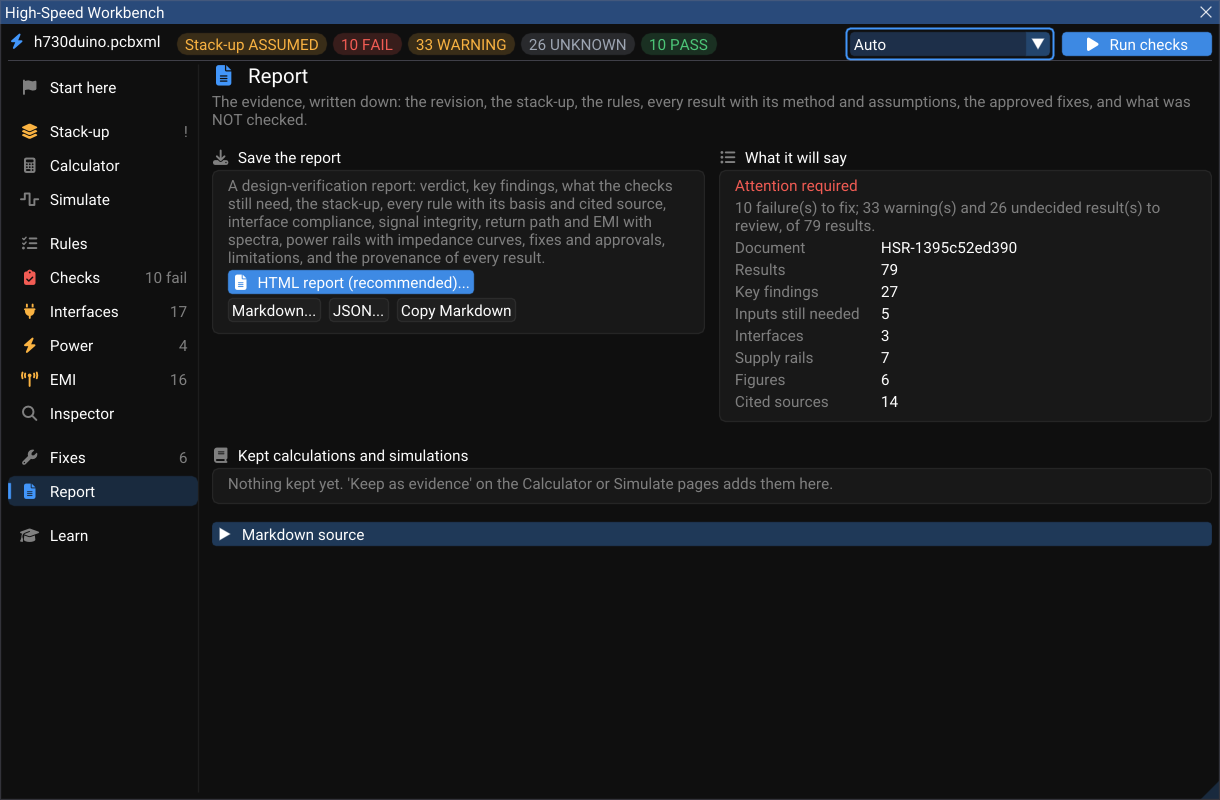
Report writes the evidence down: the board's revision fingerprint, the stack-up, the rules, every result with its method and assumptions, the fixes and who approved them — and, explicitly, what was not checked.
| Format | For |
|---|---|
| HTML report (recommended) | Reading and printing: inline figures — the EMI spectrum, each rail's impedance curve — A4 print rules, and the list of sources cited |
| Markdown | GitHub, wikis, pull requests |
| JSON | Your own tools and CI (wireframe.hs/1, units in every key) |
The controlled-impedance table for the board house is exported separately from the Stack-up page.
What the AI Copilot can do here#
The Copilot has the same tools the Workbench pages use — read the design summary, the stack-up, a net's topology and constraints; calculate impedance, delay and skew, crosstalk, PDN impedance and emission; run the checks and the simulations; check interfaces; propose and preview patches; generate the report.
Two tools write: apply an approved patch and roll back a revision — and the first refuses any patch that a person did not approve in the Workbench, on the same revision it was previewed on. The model can propose; it cannot approve, set a result's status, or produce evidence. Every number it quotes comes from an engine run.
Ask it in the Copilot panel with the board open, for example:
Why does the USB pair fail, and what is the smallest change that fixes it?
Check the Ethernet ports against their interface rules.
Is +3V3 decoupled well enough for a 300 mA load step?
See AI Copilot commands for the panel itself.